23 September: an actual PNG, inspected outside the editor
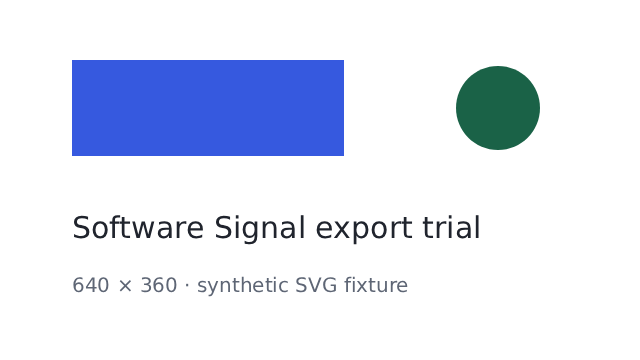
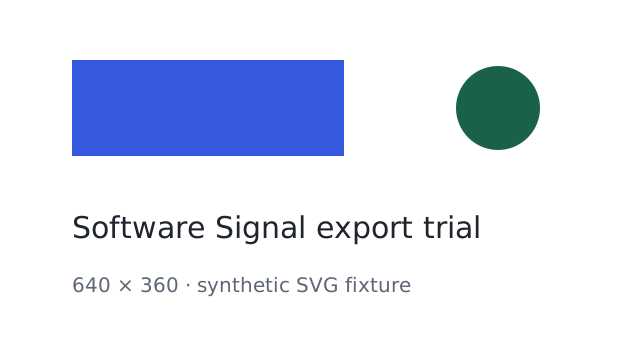
In Chrome on Windows, a research agent loaded an owned 640 × 360 SVG fixture into the official Photopea application using its documented Live Messaging integration. The fixture contained a blue rectangle, a green circle and two lines of text. Photopea reported substituting DejaVu Sans for the generic sans-serif font.
Photopea’s documented PNG export returned 12,169 bytes to our local test page at 14:37 Singapore time. We saved the received bytes, opened the PNG in a separate image viewer and decoded it independently. Its dimensions were 640 × 360. The text and shapes were visible. Interior samples matched the fixture’s white background, blue rectangle (#3659df) and green circle (#1a6247). The Account panel still offered Log In.

Download the actual PNG · Inspect the synthetic SVG input
What this establishes
One small SVG-to-PNG export worked through the documented API in this signed-out session. No watermark was visible in this inspected output. This does not establish the normal download flow, exact font fidelity, complex SVG support, PSD compatibility, speed or general export reliability. No paid plan or personal file was used.
The ordinary Save button is still a separate limitation
Before that integration test, we created a new document with a rectangle and text using Photopea’s visible tools. Two Save attempts displayed an ad-blocking support notice. The supported browser download listener timed out after 15 seconds on the second attempt and the exact named file was absent from the checked Downloads directory. We did not change browser protections or inspect download history. The API test above used a new synthetic input and does not turn those attempts into a successful ordinary download.
The method follows Photopea’s Live Messaging documentation and documented scripting interface. Photopea’s build number was not exposed. This is an agent-operated functional check, not a beginner study or performance benchmark.
17 September: the earlier editing trial
What we did
In a signed-out Windows Chrome session at the official Photopea website, an automated research agent created a 640 × 360 white document. It added a black rectangle and the text “Synthetic test” using visible application controls. No personal files or imported assets were involved.

What succeeded
- Created a blank RGB, 8-bit, sRGB document at the requested dimensions.
- Drew a rectangle and added a text layer.
- Opened the PNG export preview at 640 × 360 pixels and 100% quality.
- Confirmed the account panel still offered “Log In”.

Where the evidence stops
After Save, Photopea displayed a notice about ad blocking and supporting the service. The browser’s download-event listener timed out after ten seconds. The expected file was not found in the checked Downloads location. Download-history inspection was blocked by the browser security policy.
A downloaded PNG from that 17 September Save-button attempt remains unverified. This does not establish that Photopea cannot export, that payment is required or that a download could not have reached another location. The preview’s estimated 3,435-byte size was not a measured output file.
Environment and limits
The trial ran around 18:43 in the Asia/Singapore time zone. Photopea’s build number was not exposed in the inspected interface. Chrome’s version and the machine’s hardware were not recorded. This was one functional attempt rather than a performance benchmark, beginner study or complete application review.
We did not test offline operation, privacy behavior, imported file compatibility, large images, AI tools or general export reliability. The tested fact in the catalog is limited to signed-out basic document creation and editing.
The offer shown in the 17 September session
The account panel displayed Premium as a €15 prepaid purchase for 90 days with a “From €5/mo” equivalent. It described one-time payments without a subscription. Country-specific pricing, taxes and final checkout terms were not verified. The catalog preserves those conditions.
Read the Photopea profile or inspect the official application (opens in a new tab).